OCI gives you flexibility to create custom metrics when no out of box metrics are available. There are two options on how this can be achieved. Depending on your use case let’s take a look at which choice works for you.
Requirements
OCI Monitoring Service
OCI Stack MonitoringService
View Metrics in Monitoring Service
Yes
Yes
Create Alarms
Yes
Yes – Automatically, emitted to Monitoring Service once Metric Extension is enabled for target resource
Metric Dimensions
Yes
Yes
Frequency Collection
Control by client API execution, cron job, scheduler or agent
Yes – can be configured when creating the metric extension.
Collection can be directly executed by OS command, Script(eg. Shell, Python), SQL, JMX or HTTP (REST API)
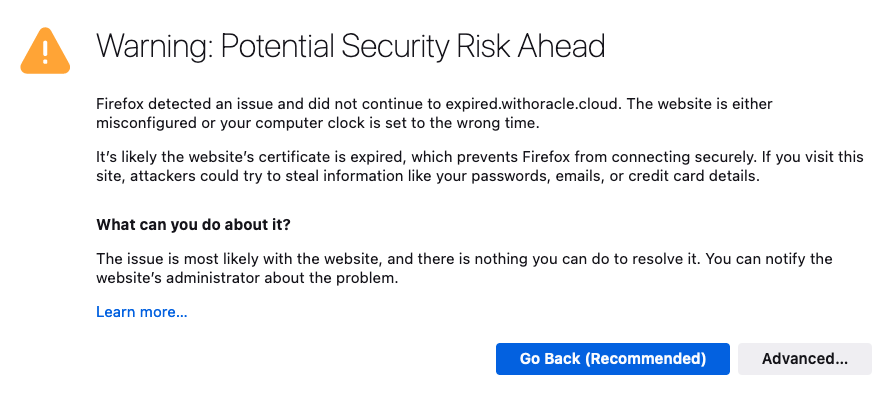
I’m sure we’ve all experienced it, either as a user, or as a system administrator. You know, that important SSL certificate everyone forgot about so didn’t renew, and now has expired?
When an SSL/TLS certificate expires it can create a number of problems, including:
Users’ web browsers will display warning messages, indicating that the website’s connection is not secure. This can lead to a loss of trust and deter user engagement.
API clients will often refuse to establish a connection if an SSL certificate is not valid potentially disrupting crucial data exchanges and integrations.
Search engines may flag the site as unsafe, leading to a drop in rankings and reduced organic traffic.
Also regularly encountering certificate warnings conditions users to accept future certificate errors, which makes them more likely to accept an SSL certificate warning should they be targeted in a Man In The Middle Attack.
To avoid these issues, it’s important to have enough advance warning that a certificate is going to expire so you can obtain a new one, install, and test it thoroughly.
If you’re already using Domain Validated (DV) certificates, such as those issued by Let’s Encrypt you might want to consider my automated Let’s Encryption Solution. This solution automatically handles the entire certificate lifecycle using serverless functions inside OCI. For those who prefer to bring their own certificates, these can be imported into OCI’s certificate service.
As at June 2023, certificate expiry monitoring in OCI is primarily focused on certificates associated with Load Balancers. To improve monitoring, I’ve developed a serverless solution that examines all certificates expiration dates. The solution emits logs and sends email notifications, also allowing for customisable lead time to align with your organisation’s certificate procurement process. Logs can also be forwarded to your SIEM solution if required.
In the world of cloud computing there are often multiple ways to achieve the same or similar result. In Oracle Cloud Infrastructure (OCI) logs are generated by the platform itself such as audit logs, OCI native services such as the Network Firewall Service, and custom logs from compute instances or your applications. These logs typically live in OCI logging where you can view them, or search them if required.
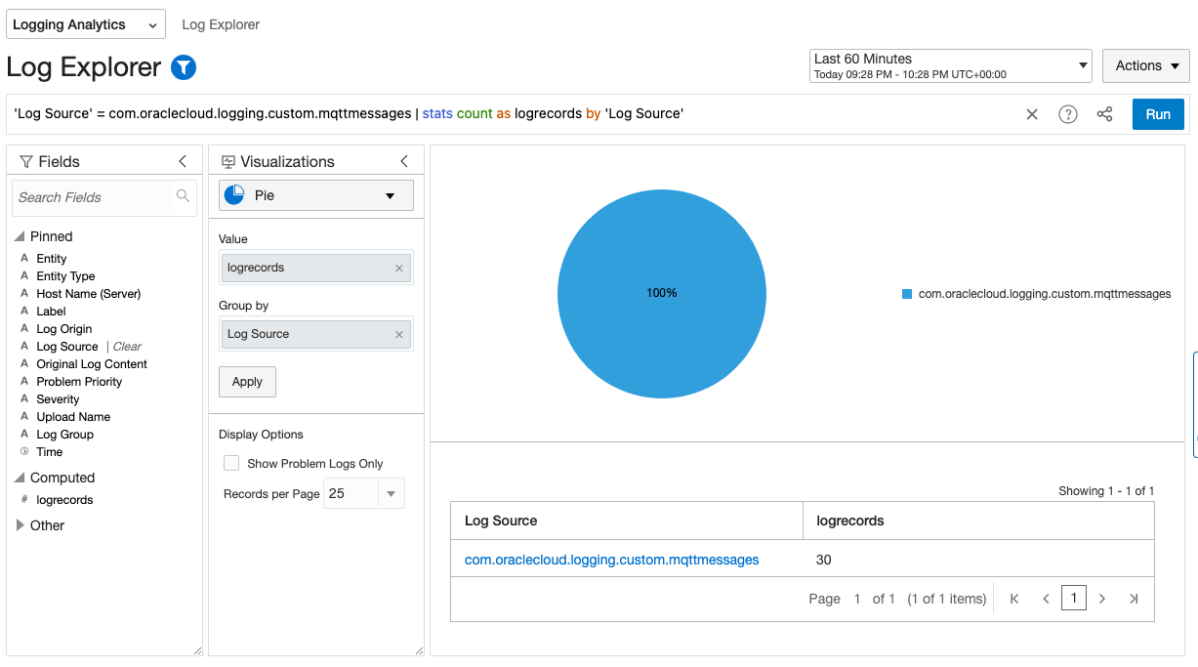
Collecting and storing logs is useful, however if you want to produce insights then you will need a way to analyse and visualise the log data. OCI Logging Analytics allows you to index, enrich, aggregate, explore, search, analyse, correlate, visualise and monitor all log data from your applications and system infrastructure.
From OCI logging there are two common ways in which logs can be ingested into Logging Analytics. The first is using a Service Connector to send logs to an Object Storage bucket, and an Object Collection Rule to then import the logs into Logging Analytics. The second option uses a Service Connector to send the logs directly to Logging Analytics. Both are valid options however require some consideration before use.
If you’re like me, then working in IT means you also assume Tech Support duties for friends, family, and those distant relatives that only seem to call when they’ve got a problem.
I just clicked on this link, and my computer is doing something weird. I think my PC has a virus, what do I do?
When it’s just a single computer, the answer is simple, contain and validate the rouge software is removed, install an AV solution, change their passwords, enable MFA, and provide some education on what to look out for next time.
But now imagine you’re an organisation building a new application, or are moving applications to the cloud. Are you simply performing a lift-and-shift or are you planning to make use of cloud native services? Where are you going to store your data, specifically user uploaded files? Object Storage was built specifically to solve the challenges of how to store unstructured data in the cloud.
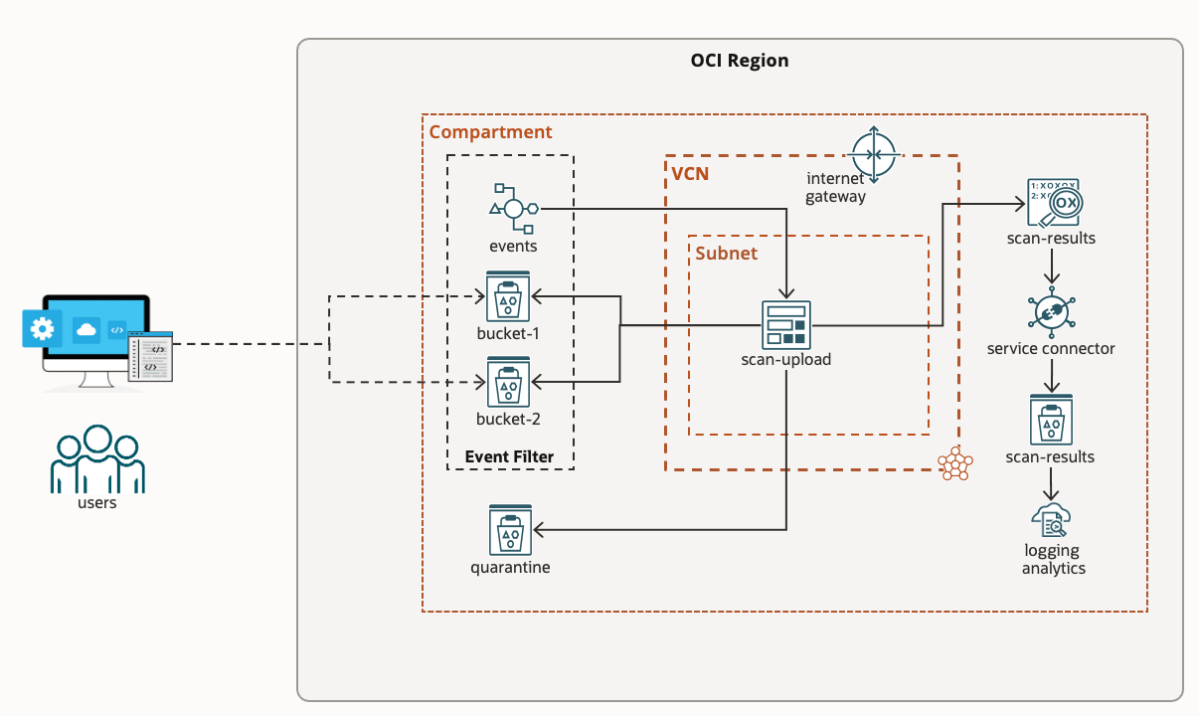
However, there is a catch. If you were previously storing files on a server file system, then it’s likely you were also running an anti-virus / anti-malware solution to identify malicious files. With Object Storage the underlying file system is transparent, so you can’t install AV, yet many compliance requirements still state “Uploaded files must be scanned for viruses and malware”.
I’m sure we can all agree, adopting a cloud strategy is awesome. The opportunities and benefits it affords are many. However cloud governance is an ongoing problem that plagues security, compliance, and management teams, which cloud vendors like Oracle are continually trying to solve.
If you’re reading this, you’ve probably been asked, or heard at least once:
Who has access to what in our environment?
Any Security / Compliance Manager
The answer should be easy and simple. However the reality is likely lots of manual time & work, spreadsheets, and endless clicking in a cloud console. If you’re doing this manually then I agree, it’s time that you could be dedicating to more important tasks.
The challenge in trying to answer these questions:
What users exist and what groups do they belong to?
What does my OCI tenancy compartment structure look like?
What policies have users explicitly created?
What permissions do users have in my tenancy?
Are there any excessive / non-compliant policies & permissions in my tenancy?
is that these complex relationships can’t be easily represented and interpreted in a table-like format. In the OCI ecosystem:
users can be federated with an Identity Provider and can belong to one or many federated, or local IAM groups,
policies can be defined for “any-user” or for a group,
policies are inherited meaning they apply to all sub-compartments from which the policies are applied.
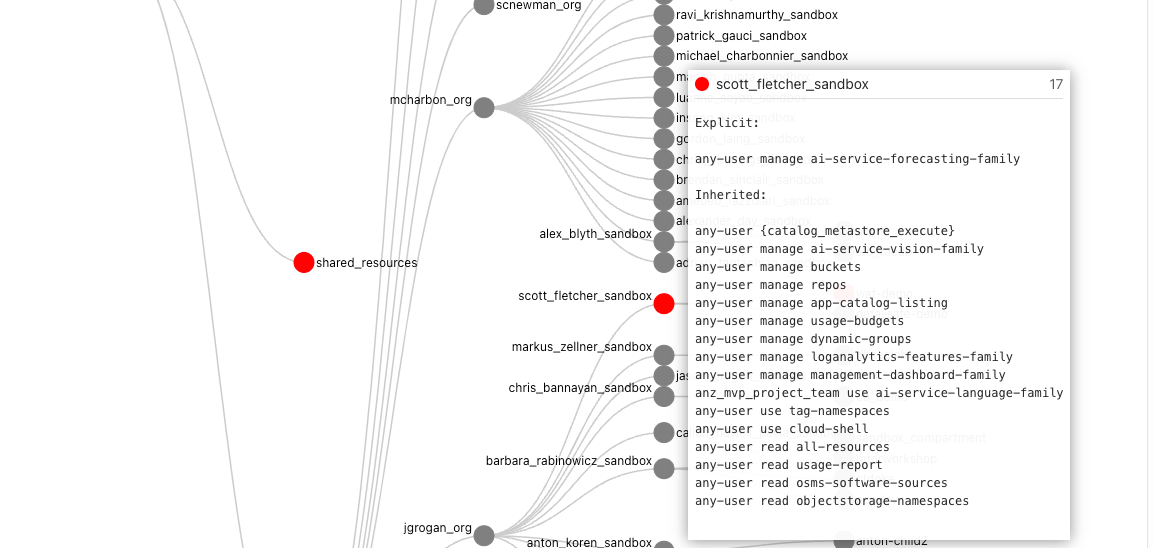
To make things easier I’ve created a solution using Oracle tools and services to simplify the auditing of OCI tenancies and user permissions called “Peek”.
Note: From 22/05/2023 APEX is no longer required as the solution runs entirely inside the container. To run the new container for OCI with IDCS use the following command:
docker run -it --name peek --rm \
--mount type=bind,source=/Full/Path/To/.oci/,target=/root/.oci/,readonly \ -e OCI_PROFILE_NAME=<from your OCI config> \-e OCI_TENANCY_OCID=<from text file> \
-e OCI_IAM_URL=<from text file> \
-e IDCS_URL=<from text file> \
-e IDCS_CLIENT_ID=<from text file> \
-e IDCS_SECRET=<from text file> \-e TOOLTIP_LINE_PX=20 \
-p 4567:4567 \scottfletcher/oci-peek
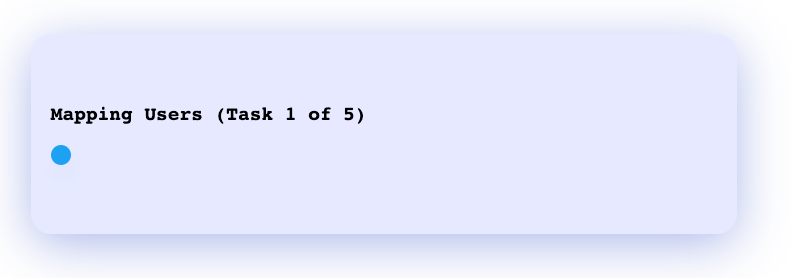
After the docker container has started, you can access the web interface using the locally mapped port http://localhost:4567. You should see a progress window:
Once the mapping process is complete the visualisation will appear.
Depending on how long your policy statements are, you may wish to adjust TOOLTIP_LINE_PX to a number greater or smaller than 20. If your policy statements overflow the tooltip box then increase this value, or if the box is too big, then you can decrease this value.
If you haven’t run Peek before, please read on as I explain how to create the required credentials and where to obtain the values for the other environment variables. You can skip the APEX steps, as APEX will not be used.
Over the past couple of years, we’ve posted about the OCI Arcade. You can find the original article (here) and the repository (here). As part of the revamp, many things have changed and as such we’ve spent a little bit of time to make it better. Check out some of these new additions.
Last weekend (from Friday 29th Oct to Tuesday 2nd Nov), was the #BuildWithAI Hackathon 2021 where participants, mentors, sponsors and organisers gathered together to solve real world challenges with AI. This event does not standalone. In a world full of change, this (from my perspective) started last year in the #BuildWithAI Hackathon 2020 and continued to build.
This article is about the event but the event itself is just “Another Step”.
This is my 15th #DaysOfArm article that tracks some of the experiences that I’ve had so far. It’s been a little while since I’ve worked on this series however saying that … much of what I’ve been doing didn’t seem different from any other type of environment.
And just to recap from the first post (here) on June 12 2021.
It’s been just over 2 weeks since the launch of Ampere Arm deployed in Oracle Cloud Infrastructure (OCI). Check this article out to learn more (here). And it’s been about one week since I started looking into the new architecture and deployment, since I started provisioning the VM.Standard.A1.Flex Compute Shape on OCI and since I started migrating a specific application that has many different variations to it to test it all out.
This is my next learning where I looked into Let’s Encrypt to create a set of free certificates for Oracle Cloud Infrastructure A1.Flex VM Instances.
This is my 14th #DaysOfArm article that tracks some of the experiences that I’ve had so far. And just to recap from the first post (here) on June 12 2021.
It’s been just over 2 weeks since the launch of Ampere Arm deployed in Oracle Cloud Infrastructure (OCI). Check this article out to learn more (here). And it’s been about one week since I started looking into the new architecture and deployment, since I started provisioning the VM.Standard.A1.Flex Compute Shape on OCI and since I started migrating a specific application that has many different variations to it to test it all out.
This is my next learning where I’ve deployed successfully openrouteservice – an open-source routing / direction API all deployed on an 4 OCPU with 24 GB of RAM in an Always Free Tier tenancy.
This is my 13th #DaysOfArm article that tracks some of the experiences that I’ve had so far. And just to recap from the first post (here) on June 12 2021.
It’s been just over 2 weeks since the launch of Ampere Arm deployed in Oracle Cloud Infrastructure (OCI). Check this article out to learn more (here). And it’s been about one week since I started looking into the new architecture and deployment, since I started provisioning the VM.Standard.A1.Flex Compute Shape on OCI and since I started migrating a specific application that has many different variations to it to test it all out.
This is my next learning is another retrospective with the OCI Arcade deployment the full stack is now being deployed on 1 OCPU with 6 GB of RAM in an Always Free Tier tenancy.

 RedThunder.Blog